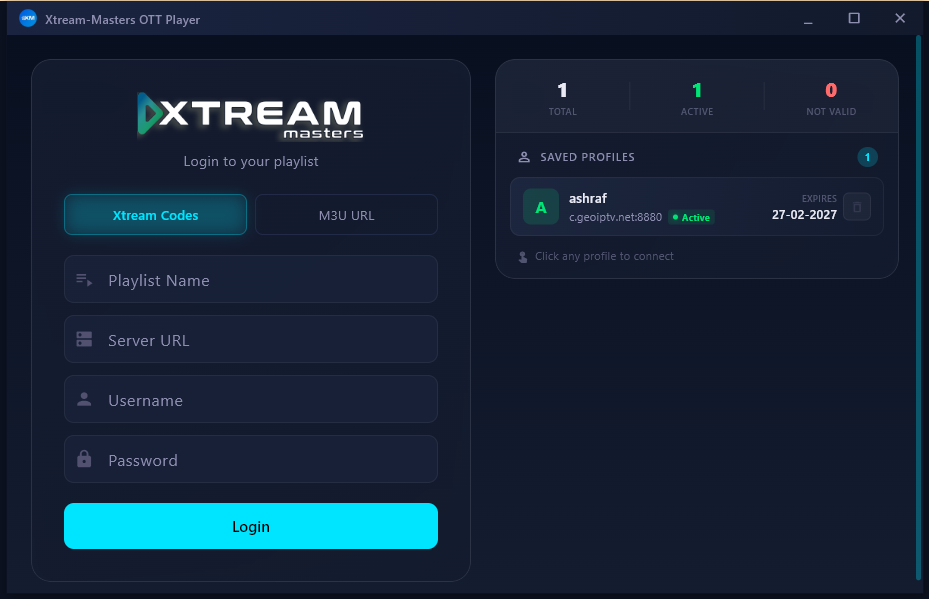
Xtream-Masters Player for PC — Watch IPTV on Your Windows Laptop & Desktop
The same player you love, now on the big screen of your computer. Add your line once and enjoy all your channels, movies and series in comfortable fullscreen — right from your Windows laptop or desktop.
- Log in your way — Xtream Codes API, an M3U/M3U8 playlist, or an active code. Same easy setup on your PC.
- Live TV, movies and series with EPG, favourites and quick search — clean, smooth and easy to navigate with keyboard or mouse.
- Built for Windows 10 and 11, laptop or desktop, with fullscreen playback and steady, HD-quality streaming.
Got Questions? We Have Answers
Here are the things people usually ask before installing Xtream-Masters Player on their PC.
What is Xtream-Masters Player for PC?
It's a free IPTV player made for Windows laptops and desktops. You add your own Xtream Codes login, M3U playlist or active code, and the app gives you live TV, movies and series with EPG, favourites and fast search — all on the big screen of your computer.
Which Windows versions does it support?
It works on both Windows 10 and Windows 11, and runs happily on laptops as well as desktop PCs. You install it straight from the Microsoft Store, so there's nothing complicated to set up.
How do I install it on my computer?
Just click the "Get it on Microsoft Store" button above, then press Get (or Install) on the store page. Windows takes care of the download and installation for you, and it also keeps the app updated on its own — no manual updates needed.
How do I add my playlist or log in?
You've got three easy options: Xtream Codes API (just enter the host, username and password), an M3U or M3U8 playlist URL, or an active code. Add it once and the app loads all your channels, movies and series automatically.
Is the app free? Does it include channels?
The app is completely free to download and use. It's a player only — it does not come with any channels or content of its own. You simply bring your own IPTV subscription, playlist or line and play it inside the app.
What features does it have?
Live TV with EPG (TV guide), a full movies and series section, categories, favourites and search to find things quickly, plus HD and 4K playback, fullscreen mode and external player support. It stays smooth and responsive whether you're on a light laptop or a powerful desktop.